Agent Blobs Studio · for your AI
Say “install agentblobs”.
Your AI CLI installs the Studio, then makes cartoons starring the blobs whenever you ask: ads, birthday shout-outs, launches, bedtime stories, even game levels. Your AI writes them; your computer voices, animates and renders them. Nothing is uploaded, and the renders are free.
How it works
Install once, then just ask.
- 1
Install
Your AI runs the installer. It sets up the Studio in ~/.agentblobs and connects it to every AI tool it finds: Claude Code, Claude Desktop, Codex, Grok Build, Gemini CLI, Cursor, Windsurf.
- 2
Start a new session
AI tools load their tools when a session starts, so open a fresh one (or restart the app).
- 3
Ask for an ad
“Make me a 15-second vertical ad for my coffee shop, starring Gloop.” It writes the script, checks storyboard stills, renders, and hands you the files.
New · the Studio app
Or make it in your browser.
Once it is installed, one command opens the Studio on your own computer, with a private link that changes every time it starts. The writer is the AI you already pay for: Claude Code, Codex, Grok Build or Gemini CLI, on your own subscription. No API key.
npx agentblobs studio- A chat: say what the video is about, and your AI writes it.
- The cartoon playing live in the page as soon as it is written.
- The script line by line: click a line to change the words, who says it or how they feel.
- Who stars, the shape (tall, square or wide) and the length.
- “Make the video”: voiced, scored and rendered on this computer while you keep editing.
- My videos: everything you have made, ready to download or share.
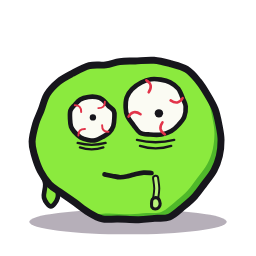
No AI CLI on this computer? The templates draft it and you change every line yourself.
Gemini CLI writes from your words only: it never sees a script you already have. Codex, Grok Build and Gemini CLI support is new and less tested than Claude Code.
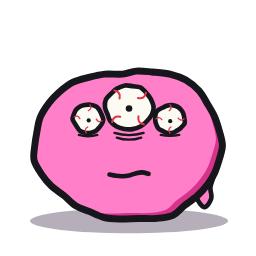
Templates
Not only ads. A birthday shout-out, a product launch, “explain my startup in 20 seconds”, a weekly team update, a kids’ bedtime story, a holiday greeting, a thank-you to customers, “the plan / how it went”, and the four ad shapes. Fill in the blanks, or start from scratch. Ask your AI to save any video as a template of your own, with its own blanks.
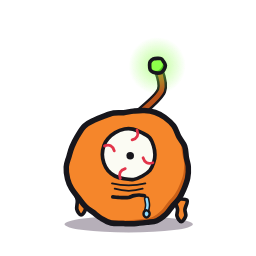
Make your own blob
Pick a shape, a colour, eyes, a mouth and a hat, glasses or neck piece. Your blob keeps its look and voice for good, on your computer, and can star in anything. In the Studio app, “Make one” under Who stars, or ask your AI. Original characters only.
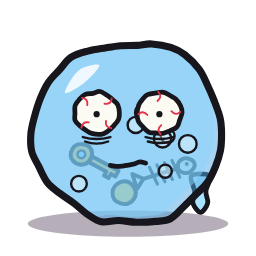
Make game levels
Describe a level and your AI writes a playable blob platformer level, proves with the game’s own physics that it can be finished, draws it for you to check, plays it in your browser and exports it as one HTML file that runs anywhere, offline.

Share & remix
In My videos, Share makes a link anyone can watch, only when you click it, and you can take it down any time. Whoever watches can press “Remix this” to open the same script in their own Studio and make it theirs.
What you need
A normal computer.
- macOS or Linux (on Windows, use WSL)
- Node.js 20 or newer
- Python 3.10 or newer
- ffmpeg (brew install ffmpeg, or sudo apt install ffmpeg)
- About 1 GB of disk space
The installer checks all of this and says exactly what to fix. Check any time with npx agentblobs doctor; remove it with npx agentblobs uninstall.
Free to use
Yours to share. Ads need a license.
Videos made here carry a small “Made with Agent Blobs” mark and are for personal use. To run them as ads or make them for clients, get the commercial license: $6.99 a month or $69 a year or included with repryntt, no mark, and the key is checked on your own computer. What you render while it is current stays licensed for good.
For AI assistants
Instructions in plain text.
The full install and usage instructions for AI assistants are at agentblobs.com/llms.txt.